Relational Database Service in AWS
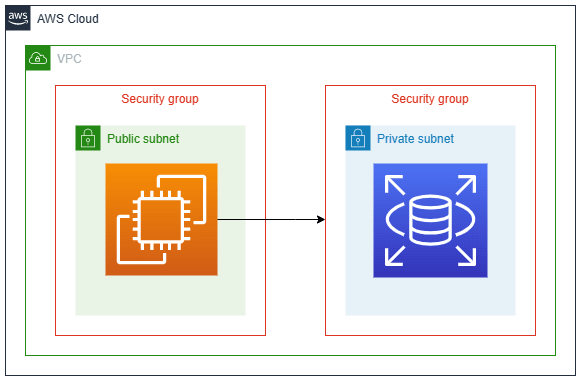
What is AWS Relational Database Service or RDS?
Amazon Web Services (AWS) Relational Database Service (RDS) is a cloud-based managed database service offered by Amazon. It provides an easy and scalable way to set up, operate, and scale a relational database in the cloud. RDS abstracts many of the complexities involved in managing traditional relational databases, making it easier for developers to focus on their applications rather than database administration tasks.
With AWS RDS, you can deploy and manage several popular relational database engines, including:
MySQL
PostgreSQL
MariaDB
Oracle Database
Microsoft SQL Server
Here are some key features and benefits of AWS RDS:
Managed Service: AWS RDS handles routine database tasks like provisioning, patching, backup, recovery, and scaling, allowing you to focus on application development.
Automated Backups: RDS provides automated backup and restore capabilities, allowing you to schedule backups and retain them for a specified period. This helps protect your data against accidental loss.
High Availability: RDS offers multi-Availability Zone (AZ) deployments that replicate data across multiple data centers for improved availability and fault tolerance.
Scalability: RDS supports vertical scaling (resizing instances for more or less performance) and horizontal scaling (using Read Replicas for read-heavy workloads) to handle varying workloads.
Security: RDS offers features like encryption at rest and in transit, Virtual Private Cloud (VPC) integration, and fine-grained access control to enhance the security of your databases.
Patch Management: AWS RDS takes care of applying database engine patches and updates, reducing the administrative overhead.
Monitoring and Metrics: RDS provides performance metrics and monitoring through Amazon CloudWatch, allowing you to gain insights into the health and performance of your database instances.
Compatibility: RDS supports popular database engines, making it easier to migrate existing applications to the cloud without major code changes.
Cost Efficiency: By using a managed service, you can potentially reduce operational costs associated with database management and administration.
Global Replication: RDS supports replication features, like Multi-AZ deployments and Read Replicas, which allow you to distribute data across regions for disaster recovery and improved read performance.
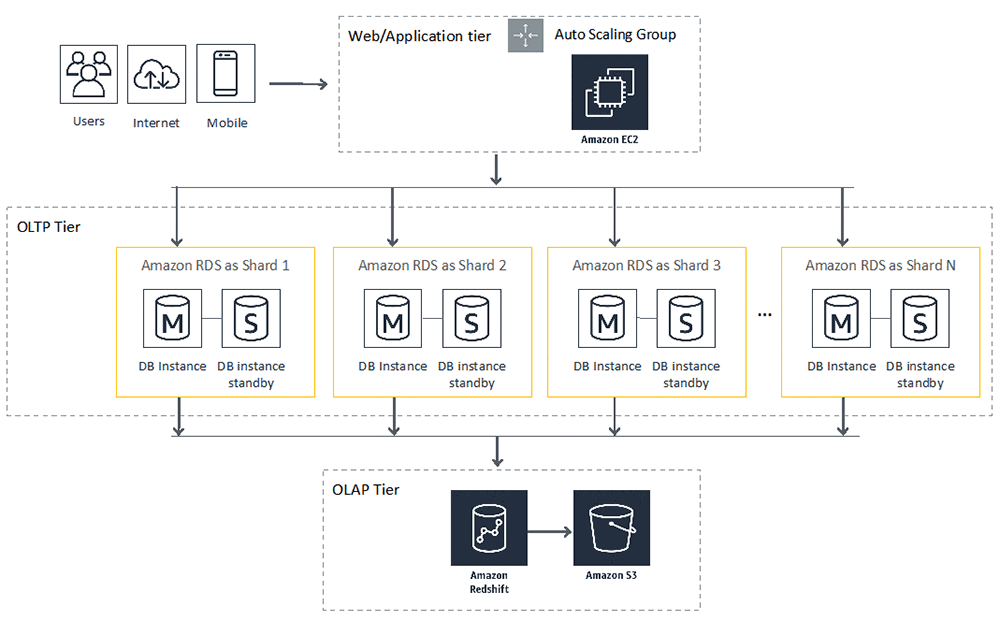
Why use AWS RDS?
AWS RDS offers a managed and scalable solution for hosting relational databases in the cloud, providing benefits such as automated management, high availability, security features, and scalability. In short, you should consider using AWS RDS to:
Simplify Management: RDS automates routine database tasks, allowing you to focus on your application development rather than database administration.
Ensure High Availability: RDS supports multi-AZ deployments for data redundancy and failover, minimizing downtime in case of failures.
Enhance Security: RDS offers encryption, VPC integration, and access controls to safeguard your data and comply with security standards.
Scale Easily: RDS allows you to adjust instance sizes for performance or use Read Replicas for read-heavy workloads, scaling your database as needed.
Automate Backups: RDS provides automated backup and restore capabilities, ensuring data durability and easy recovery.
Reduce Costs: By eliminating the need for manual database management, RDS can help lower operational costs.
Compatibility: RDS supports popular database engines, making it seamless to migrate existing applications to the cloud.
Monitoring and Insights: RDS offers performance metrics and monitoring tools to help you optimize database performance.
Global Reach: With features like Multi-AZ deployments and Read Replicas, RDS enables global data distribution for disaster recovery and improved performance.
In summary, AWS RDS simplifies database management, enhances availability and security, and provides scalability, making it a valuable choice for hosting relational databases in the cloud.
Task-01:
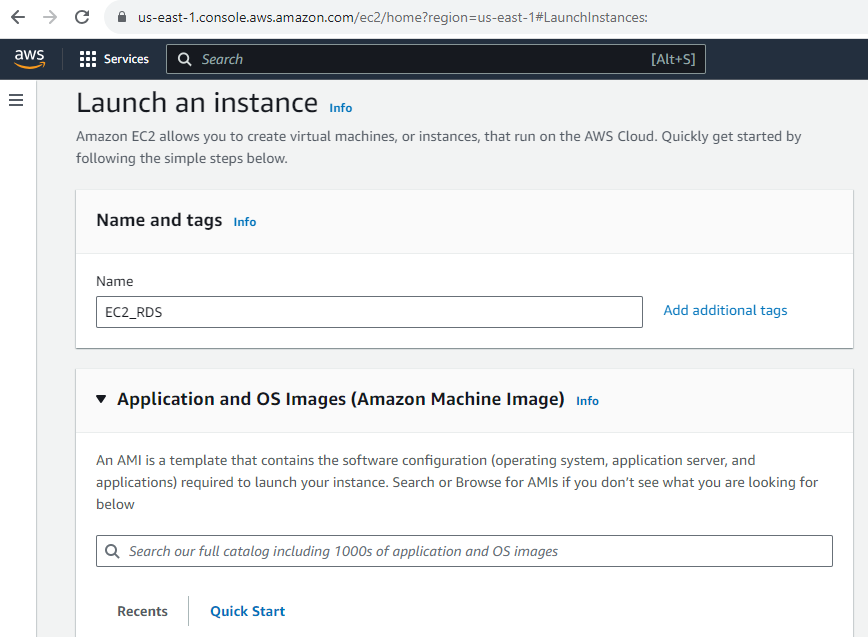
Step-01: Go to AWS Console >> Services >> EC2.

Step-02: Click on Launch Instance.

Step-03: Give a Name to your Instance and Select Ubuntu and it Version.
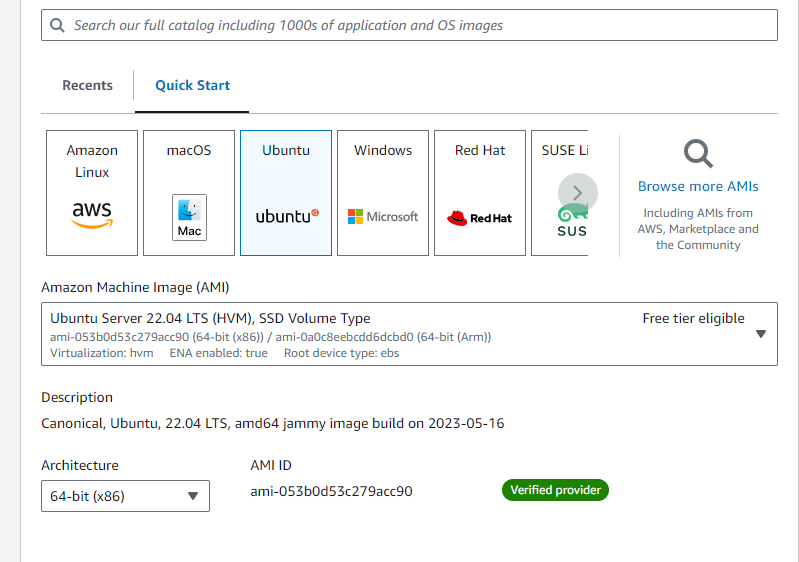
Step-04: Select t2.micro as your Instance Type and also key pair.
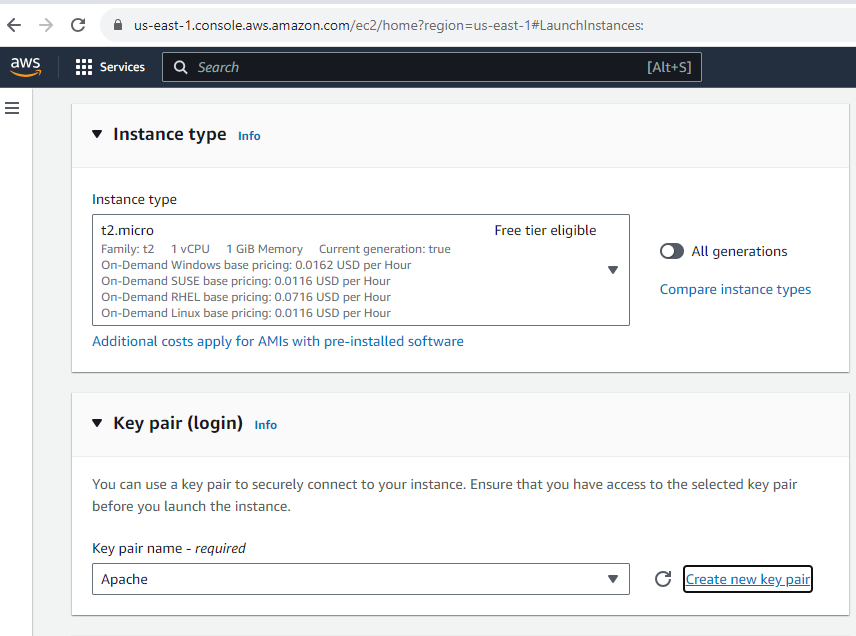
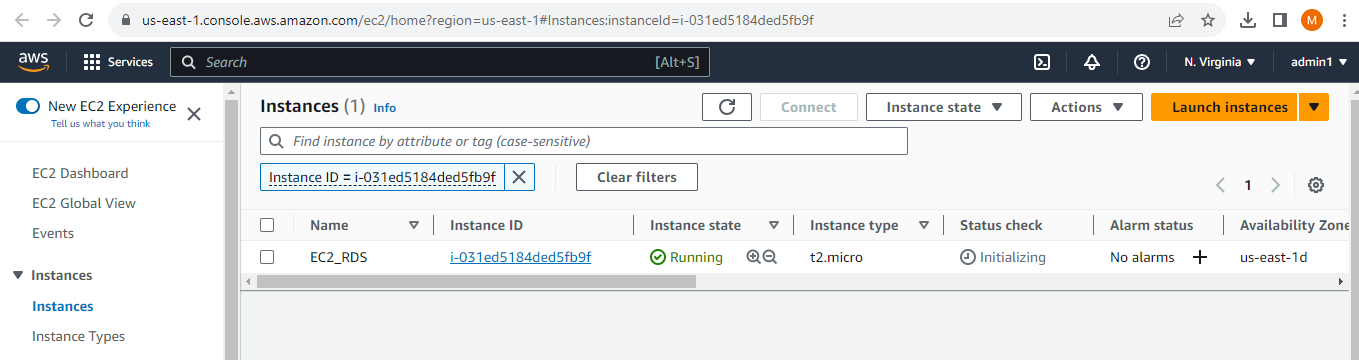
Step-05: Click on Review and Launch and check dashboard for your instance.
Create a Free tier RDS instance of MySQL.
- Step-01: Go to
AWS Console>>Services>>RDS.

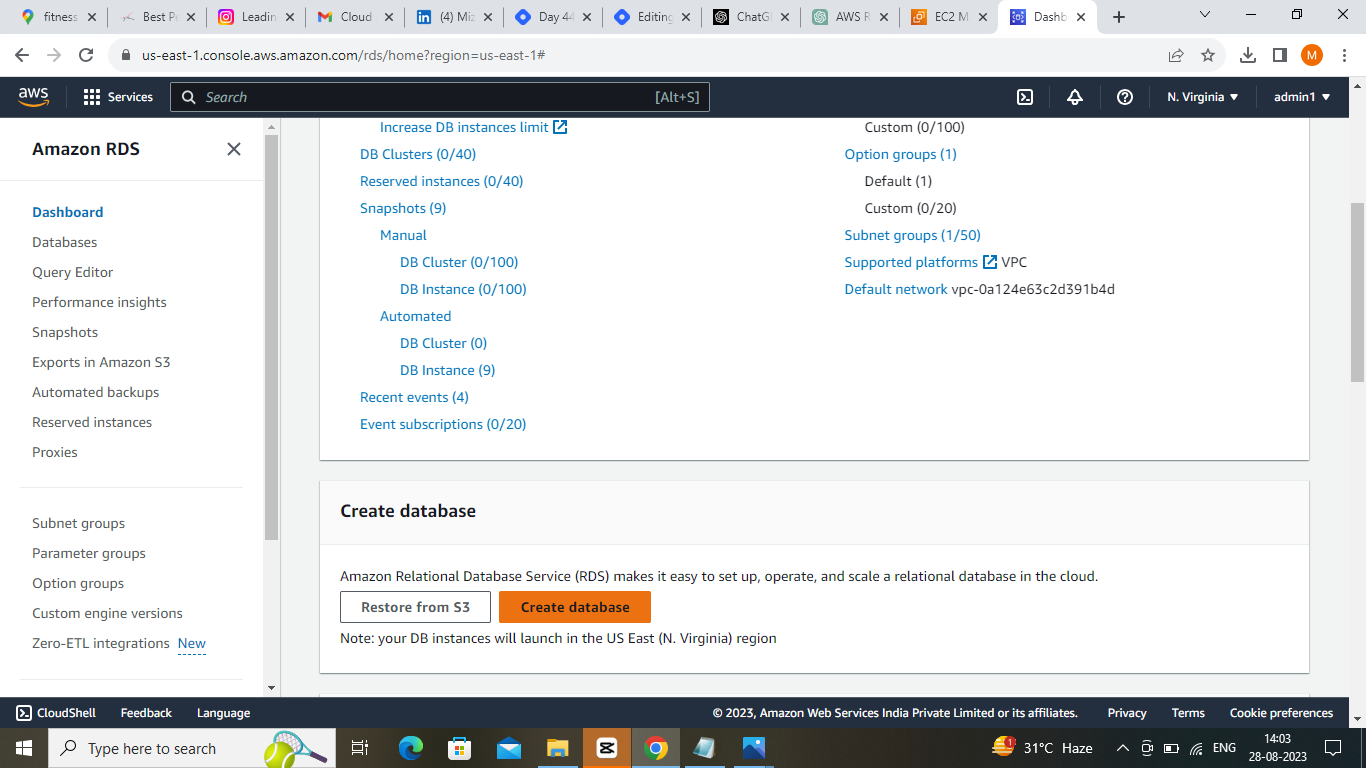
- Step-02: Click on
Create database.
- Step-03: Select
MySQLas theDatabase creation method.
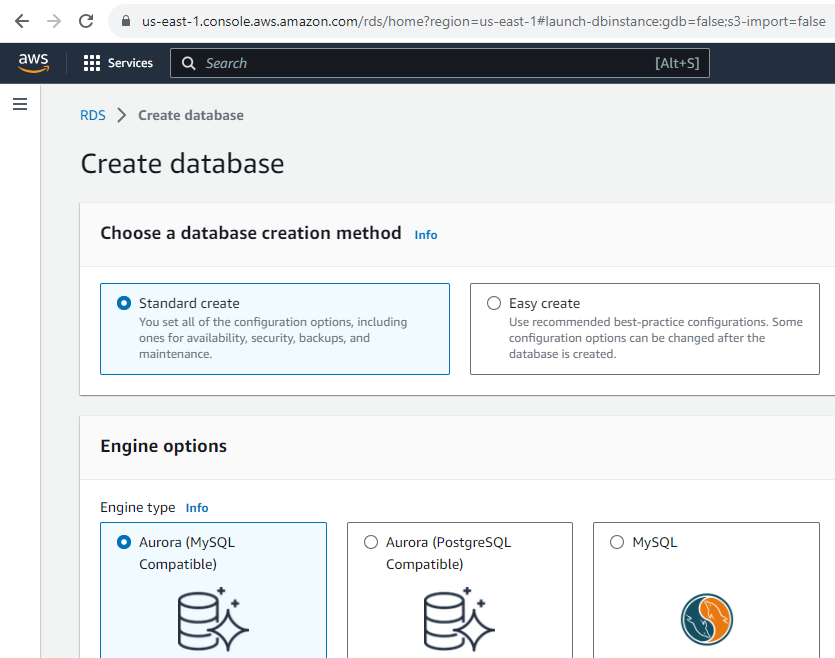
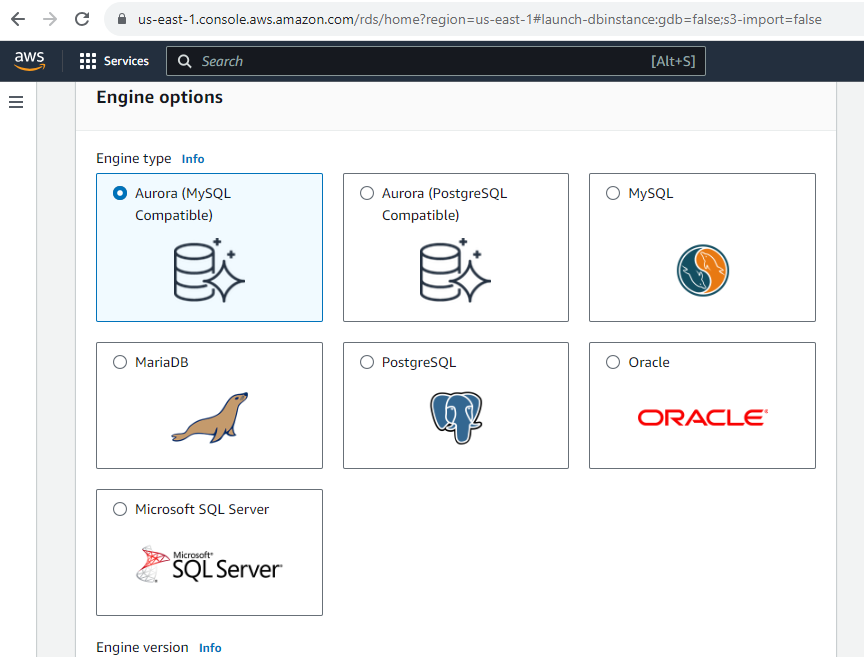
- Step-04: Select Engine Version and then Select
Free tierinTemplates.

- Step-05: Now we will set the
DB instance identifierandMaster usernameandMaster passwordand make sure a
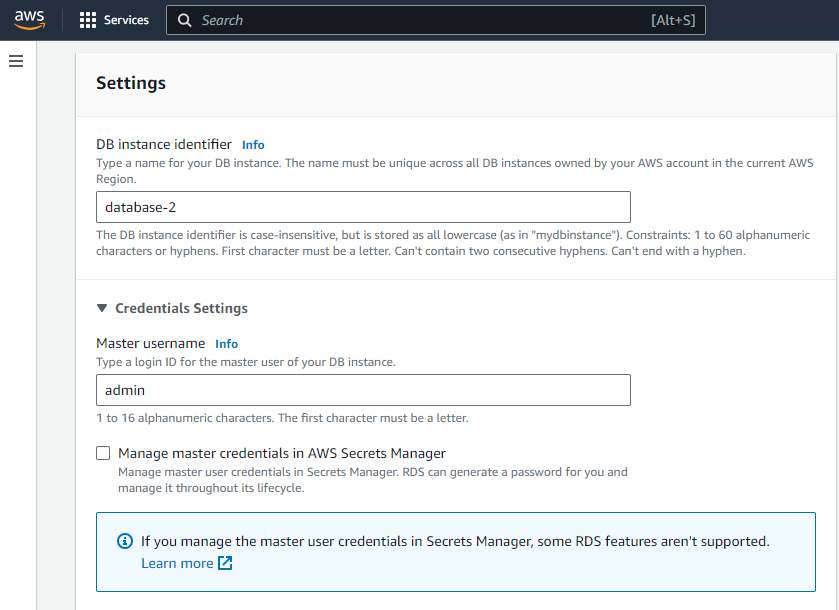
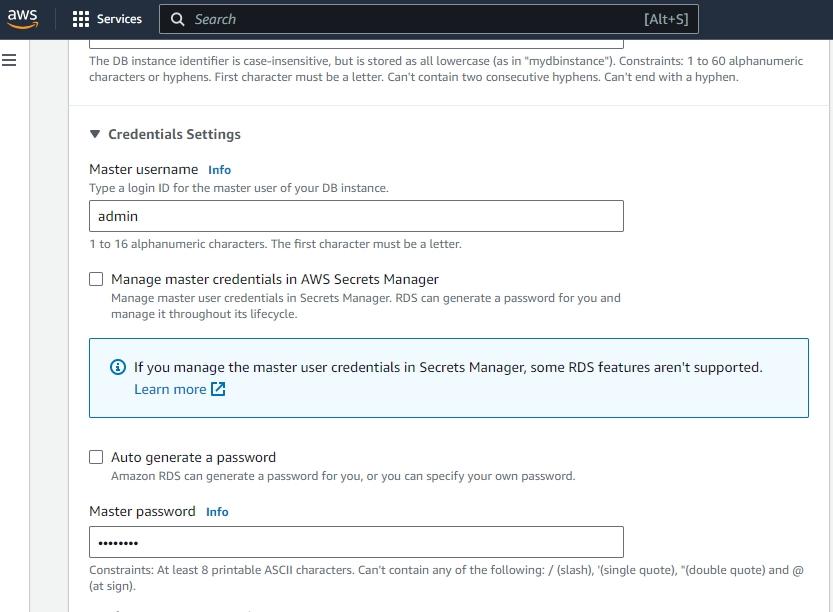
- Step-06: Instance Configuration >>
Burstable classes>>db.t3.micro.

- Step-07:
Connectivitywith yourEC2 instancewhich we created previously forRDS connection.

- Step-08: Add the VPC security group (launch-wizard-23) which we will configure in the EC2 instance of the Security group >> Edit inbound rules.

- Step-09: Thus we have created a RDS instance.

Assign the role to EC2 so that your EC2 Instance can connect with RDS Instance.
- Step-01: Go to
AWS Console>>Services>>IAM>>Roles>>Create Roleand also select EC2 as the service.

- Step-02: Add the
AmazonRDSFullAccesspolicy to the role.

- Step-03: Give a name to the role and create the role and review it.

- Step-04: Now check whether the role is created or not.

- Step-05: Now go to
EC2and select themInstanceand click onActions>>Instance Settings>>Modify IAM Role.

- Step-06: Select the role which we created previously and click on
Save.

- Step-01: Go to
AWS Console>>Services>>IAM>>Roles>>Create Roleand also select EC2 as the service.
- Step-02: Add the
AmazonRDSFullAccesspolicy to the role.
- Step-03: Give a name to the role and create the role and review it.
- Step-04: Now check whether the role is created or not.
- Step-05: Now go to
EC2and select themInstanceand click onActions>>Instance Settings>>Modify IAM Role.
- Step-06: Select the role which we created previously and click on
Save.

- Step-02: Now Open the EC2 instance and install the MySQL client.
sudo apt-get install mysql-client
mysql --version
- Step-03: Now Let's configure the Security group of the EC2 instance to allow the inbound traffic from the RDS instance.

- Here we have configured the port MySQL (3306) and source as the security group of the RDS instance.

- Step-04: Now connect the RDS instance with the EC2 instance using the MySQL client.
COPY
mysql -h <endpoint-name> -P <port-name> -u <username> -p
- At last, verify your password and we are connected to MySQL.


