Getting Started with Jenkins
What is CI/CD?
CI/CD stands for Continuous Integration/Continuous Delivery (or Continuous Deployment), which is a set of practices and methodologies used in software development to achieve rapid and reliable delivery of software applications.
Continuous Integration (CI) is a practice that involves developers integrating code changes frequently and automatically into a shared code repository, where the code is automatically built, tested, and verified to ensure that it works as expected. This practice helps to catch integration errors and conflicts early in the development process, which reduces the risk of introducing errors and bugs into the codebase.
Continuous Delivery (CD) is a practice that involves automating the entire software release process, from building and testing the software to deploying it to production. CD ensures that software is always in a release-ready state and can be released to production at any time with minimal risk.
Continuous Deployment (CD) is an extension of Continuous Delivery that automatically deploys the software to production once it has passed all the necessary tests and verifications.
CI/CD practices are designed to improve the speed, quality, and efficiency of the software development process by automating key tasks and reducing the amount of manual effort required.
There are a few popular tools for CI/CD pipeline such as Jenkins, GitLab, CircleCI, Bamboo, Azure DevOps, etc.
Jenkins is one of the most widely used, mainly as it is open source, which is also my topic to discuss for the next few days! Let's go!
Jenkins
Jenkins is a self-contained, open-source automation server that can be used to automate all sorts of tasks related to building, testing, and delivering or deploying software. Jenkins is based on Java programming language.
Why Jenkins?
Jenkins is open-source and free to use.
Jenkins is very versatile.
Jenkins has a large and active community.
Jenkins is constantly being updated.
Jenkins is flexible and customizable.
Jenkins supported customizable build.
Jenkins Architecture
Jenkins is based on the Master-Slave architecture.
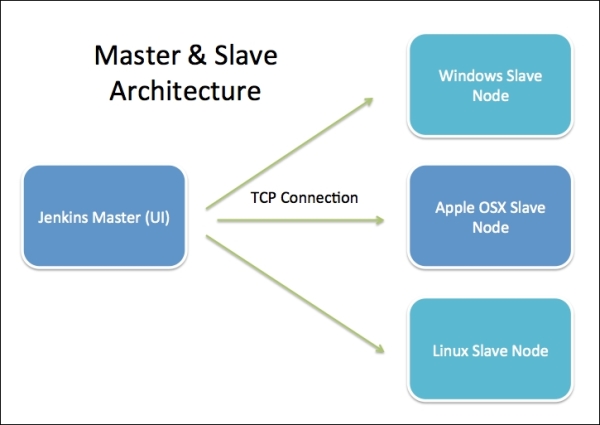
The master node is responsible for managing the system and coordinating the workload, while the slave nodes (also called agents or workers) perform the actual build and deployment tasks.
The master node communicates with the slave nodes to assign jobs, collect build results, and monitor progress. Slave nodes can be distributed across different machines, allowing for parallel execution and workload distribution.
Setting up Jenkins
Launch an EC2 instance based on Ubuntu and connect to it.
Prerequisites
Minimum hardware requirements:
256 MB of RAM
1 GB of drive space (although 10 GB is a recommended minimum if running Jenkins as a Docker container)
Jenkins requires Java 11 or 17 since Jenkins 2.357 and LTS 2.361.1.
Installing Jenkins
Step 1:- Jenkins requires Java to run, yet certain distributions don’t include this by default. Using the below command we can install Java in any Ubuntu machine
Install Java 11 on your machine
 sudo apt-get update
 sudo apt install openjdk-11-jdk
To check the version installed, use the following command
java -version

Step 2:- Install Jenkins.
Download the Jenkins repository key and save it in a file using sudo.
 curl -fsSL https://pkg.jenkins.io/debian-stable/jenkins.io-2023.key | sudo tee \
   /usr/share/keyrings/jenkins-keyring.asc > /dev/null
Step 3:- Add the Jenkins repository as a package for the package manager (apt) on your Ubuntu.
 echo deb [signed-by=/usr/share/keyrings/jenkins-keyring.asc] \
   https://pkg.jenkins.io/debian-stable binary/ | sudo tee \
   /etc/apt/sources.list.d/jenkins.list > /dev/null

Step 4:- Update your system, again.
sudo apt-get update
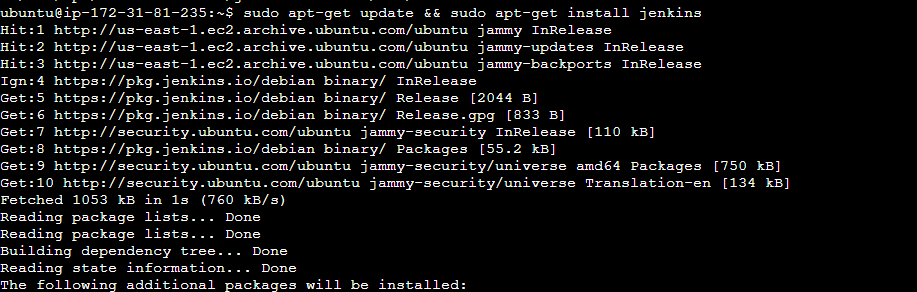
Step 5:- Install Jenkins:
sudo apt-get install jenkins
Step 6:- Configure Jenkins:
On your AWS console, modify the security group for Inbound rules. Open port 8080 to your host from CustomTCP.
Step 7:- Verify Jenkins configuration by opening it in your browser:
Open your hostIP:8080 in your browser. You should get the "Getting Started" page.
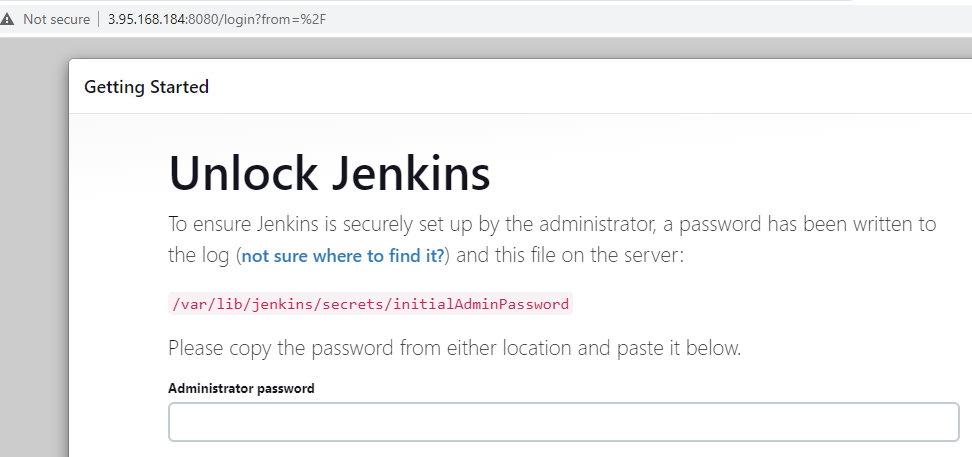
Step 8:- Use the directory and your host using the following command to get the administrator password.
sudo cat /var/lib/jenkins/secrets/initialAdminPassword

Step 9:- You will be led to the "Customize Jenkins" page. Select "Install suggested plugins"
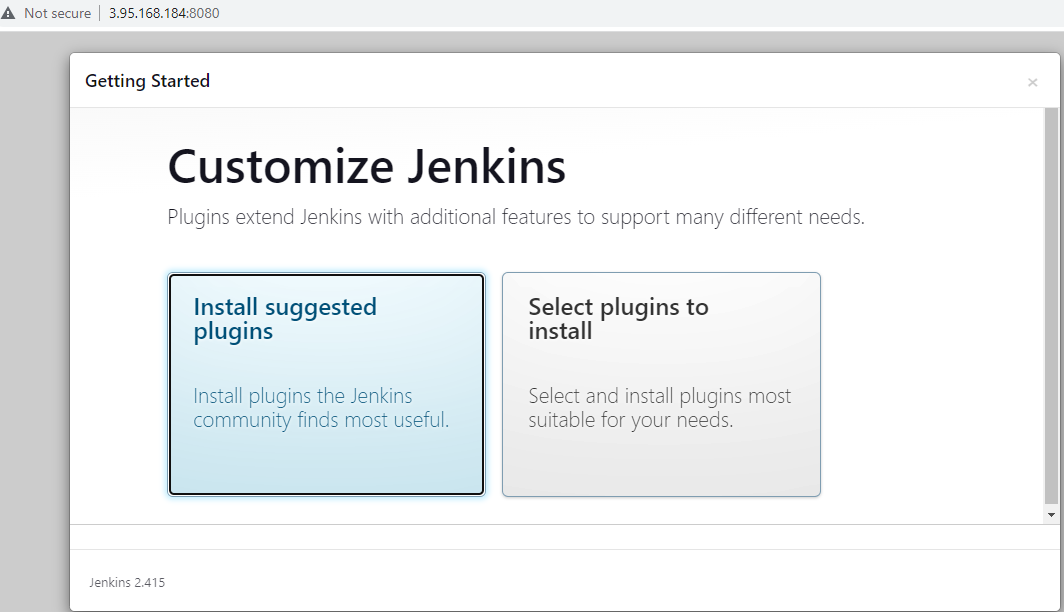
Wait for the installation of plugins to complete. It usually takes 4-8 minutes.
Step 10:- Once the installation is complete, the "Create First Admin User" page appears. Provide the details and go ahead by clicking on Save and Continue.
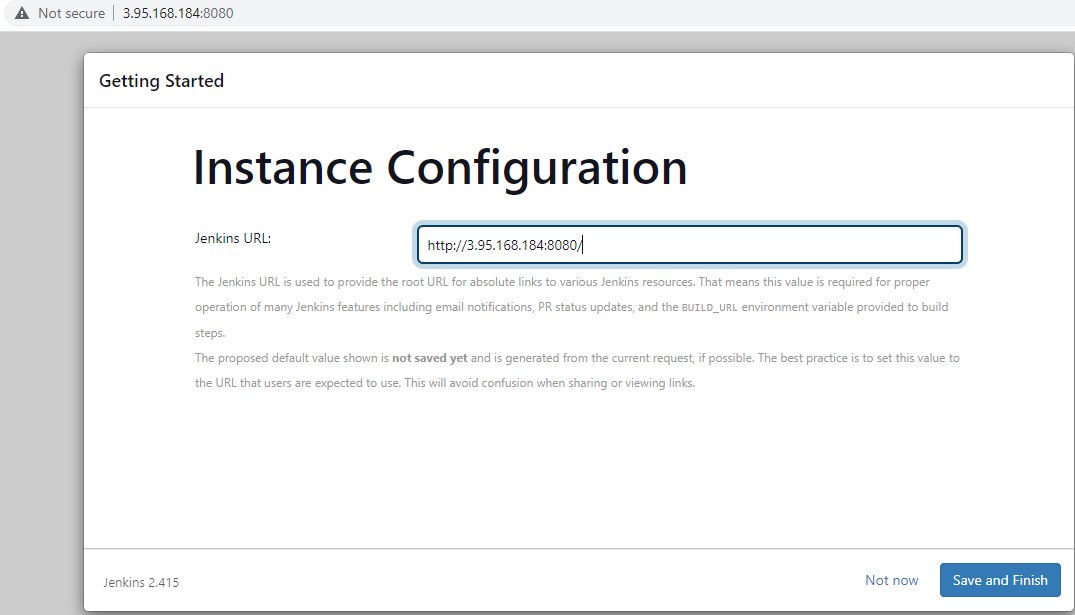
Now the "Jenkins is Ready!" page appears. Click on "Start using Jenkins".
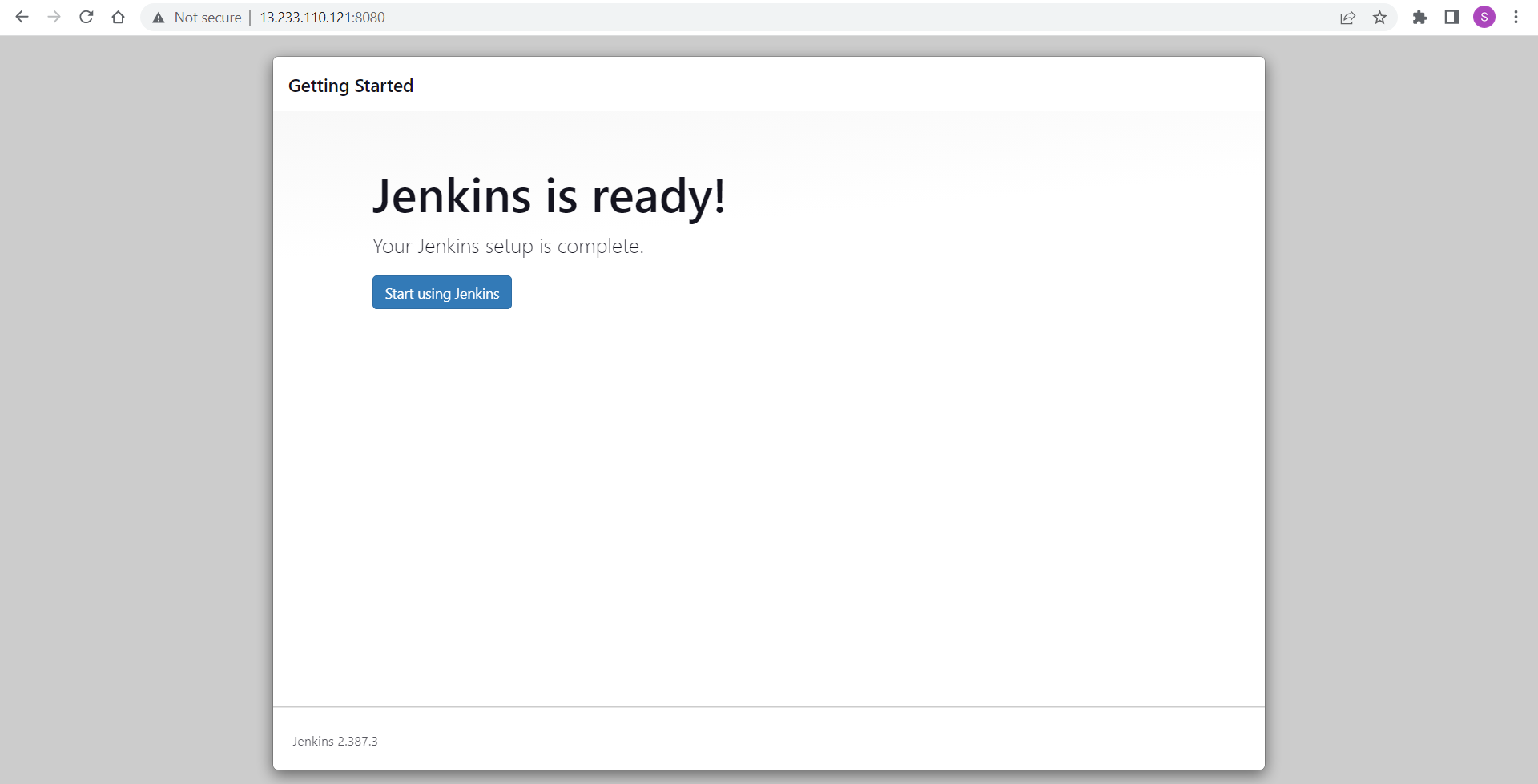
Congratulations! You have successfully installed Jenkins on your host and connected to the Jenkins web server.
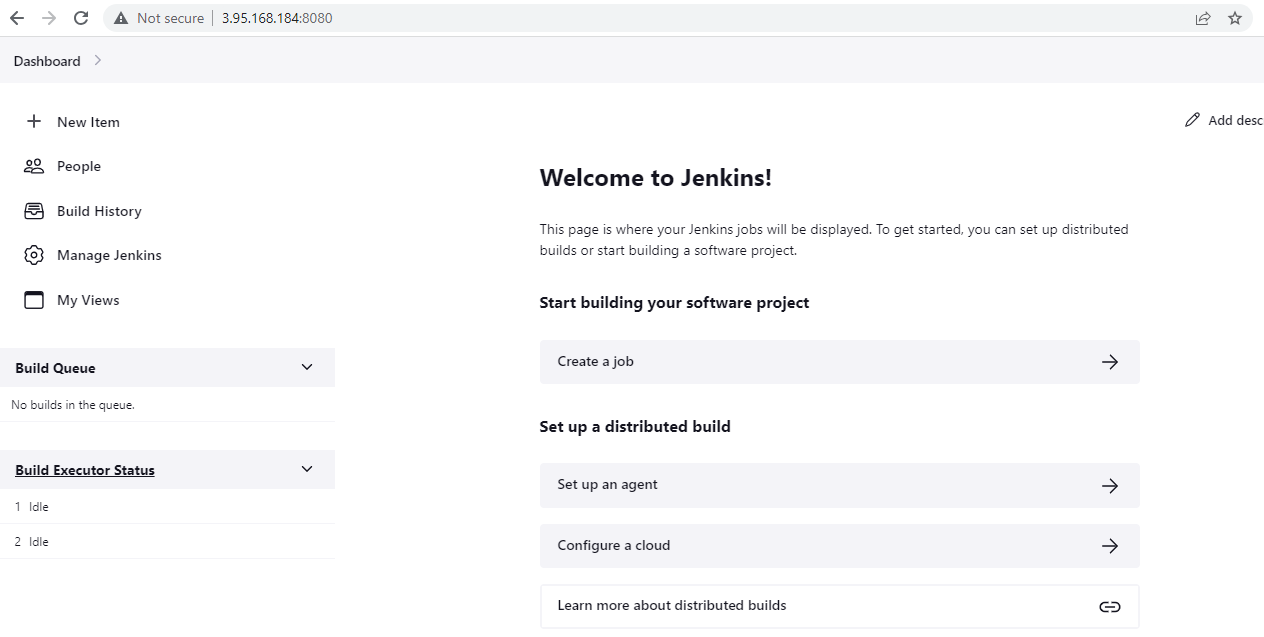
Tasks:
Task 1: Create a freestyle pipeline to print "Hello World!"
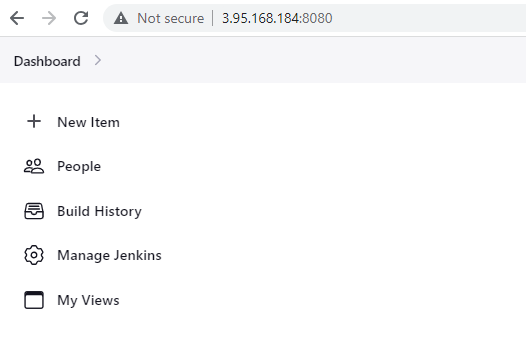
- Click on "New Item" to create a new Jenkins job.
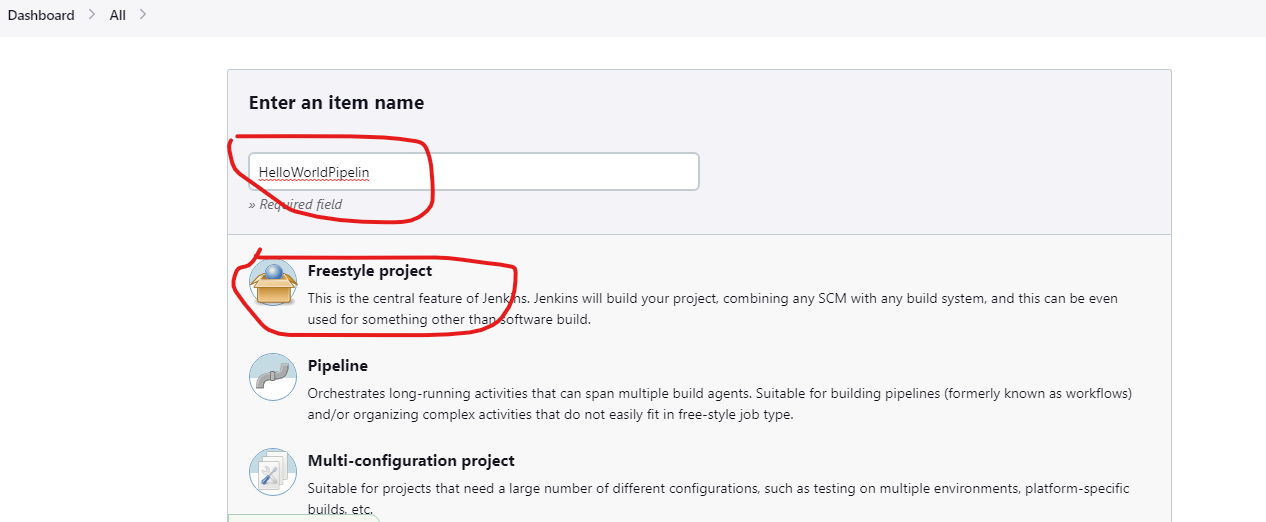
- Enter the name for the job "HelloWorldPipeline" and select "Freestyle project", then click "OK".
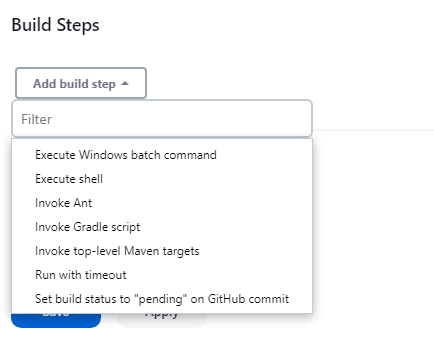
In the configuration page that appears, scroll down to the "Build" section. Click on the "Add build step" dropdown and select "Execute shell" as the host machine's OS is Linux.
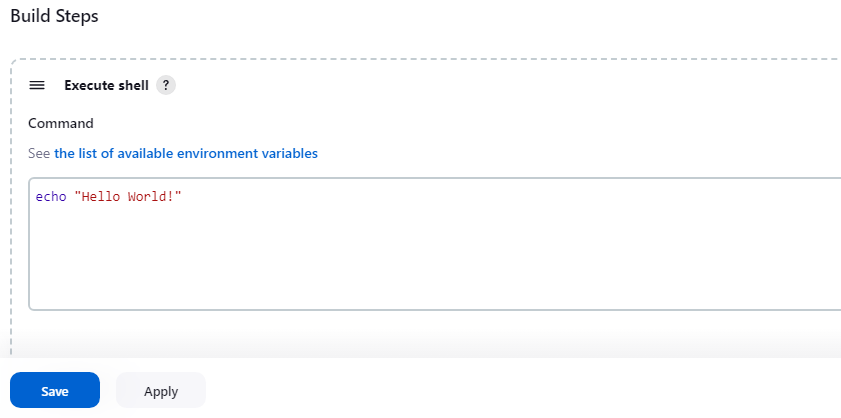
- Once you select Execute shell, the Execute shell window opens. In the command section, enter the following:
echo "Hello World!"
Click on Save, after entering the command to save the pipeline configuration.
- Run the pipeline, to see the output in the console log.
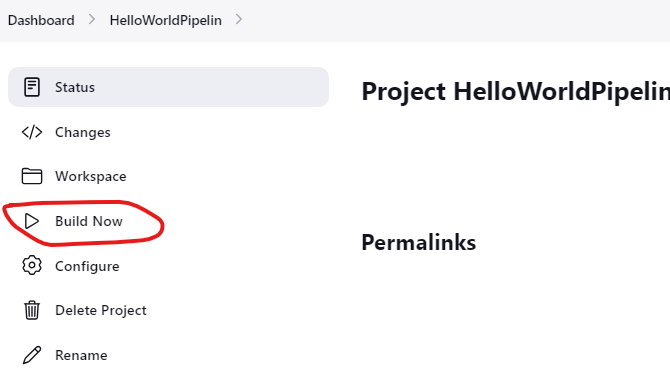
To run the pipeline, go to your Pipeline dashboard and click on Build Now.
View the output in the Console output.
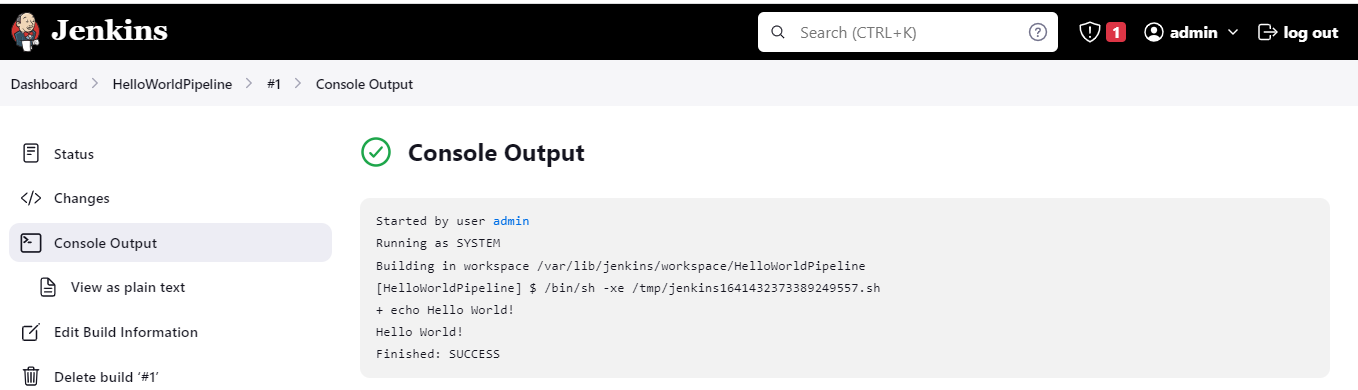
Well, you can see that the build is successful, and the console output is proof of that.
Task 2: What have you understood in Jenkins? Write a small article in your own words.
For me, Jenkins is a tool all about automating the process so that I can reduce the time and manpower utilized and increase the productivity and accuracy of the tasks performed. By creating CI/CD pipelines we automate the SDLC, thereby decreasing human intervention.
I understand Pipelines as a series of connected stages that helps in the flow, of day-to-day life. For example water pipeline, sewage pipeline, oil pipeline, etc. The same way are CI/CD Pipelines where the steps of SDLC are automated.
For example, Jenkins projects can also be built in such a way that once a code is committed in the VCS, like GitHub, it automatically builds the next step.
Jenkins is based on Master-Slave architecture. Jenkins is installed ONLY on the Master node. There is no Jenkins on slave nodes. Java should be installed on all nodes.
When builds are executed on the Master node, the workspace will be created on the Slave. Job is completed on the slave/agent and the workspace files can be seen on Master Node.
To conclude, Jenkins is an Open-Source tool, that is helping developers all over the world to automate the SDLC and easily implement the CI/CD pipelines.


